
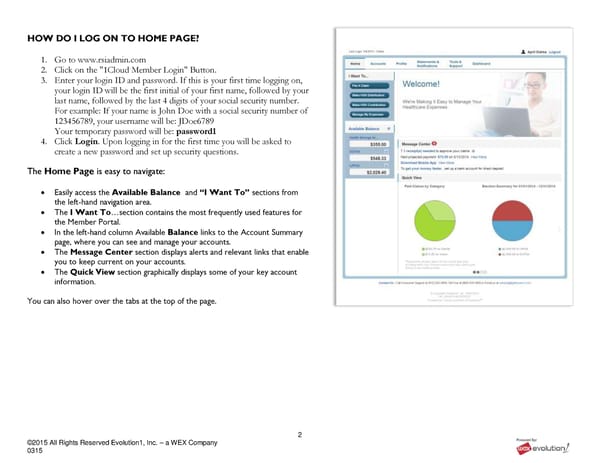
2 ©2015 All Rights Reserved Evolution1, Inc. – a WEX Company 0315 HOW DO I LOG ON TO HOME PAGE? 1. Go to www.rsiadmin.com 2. Click on the "1Cloud Member Login" Button. 3. Enter your login ID and password. If this is your first time logging on, your login ID will be the first initial of your first name, followed by your last name, followed by the last 4 digits of your social security number. For example: If your name is John Doe with a social security number of 123456789, your username will be: JDoe6789 Your temporary password will be: password1 4. Click Login. Upon logging in for the first time you will be asked to create a new password and set up security questions. The Home Page is easy to navigate: Easily access the Available Balance and “I Want To” sections from the left-hand navigation area. The I Want To…section contains the most frequently used features for the Member Portal. In the left-hand column Available Balance links to the Account Summary page, where you can see and manage your accounts. The Message Center section displays alerts and relevant links that enable you to keep current on your accounts. The Quick View section graphically displays some of your key account information. You can also hover over the tabs at the top of the page.
 RSI Member Portal Quickstart Guide Page 1 Page 3